

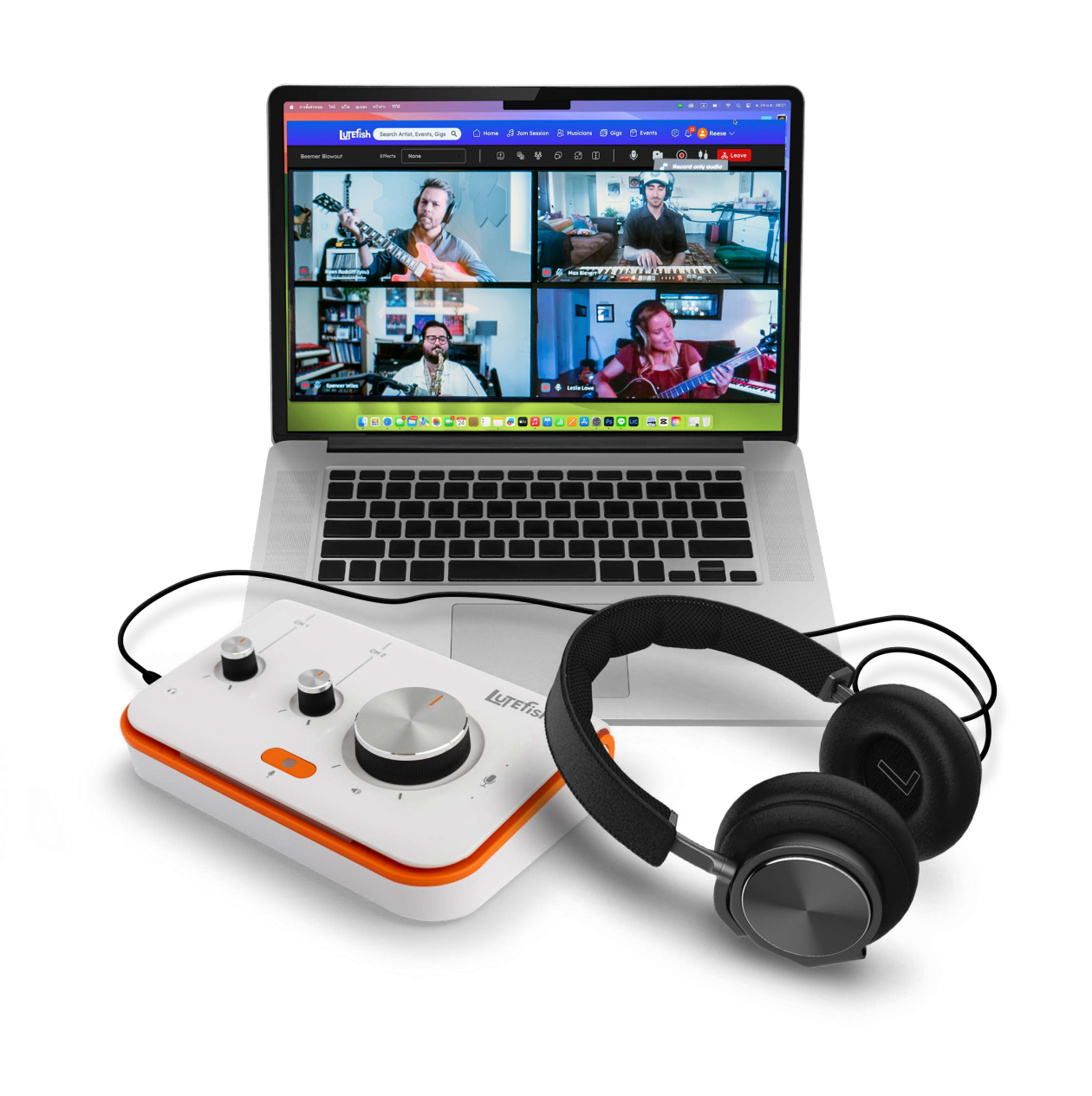
If you’ve ever tried to jam, write, teach, or record music with anyone over the internet, you know there’s one big problem standing in the way: latency. Those pesky delays, hiccups, and interruptions can kill the vibe quickly, making it frustrating—if not impossible—to get in sync and create real music together.
Enter the Lutefish Stream. It’s a super-simple platform that allows musicians to collaborate online with next-to-no latency. By plugging the Lutefish Stream device straight into your router and logging into the Lutefish.com site, this piece of gear lets you work with other musicians as though you’re right in the same room. Let’s break down what’s awesome about Lutefish and how you can use it to further your musical creations.
Unboxing and Overview

I’m a sucker for good design, and the Lutefish Stream delivers from the jump. The box shows up with fun, colorful packaging and a cartoon fish that sets a playful tone right away. The device itself is beautifully crafted with clean lines, big knobs, and a really inviting simplicity.
In the box, you get the essentials: the cables you need—Ethernet and power—and even a pair of headphones to get you going. There are two inputs on the back for either quarter inch or XLR inputs. You can plug in an instrument, microphone, another mixer, additional effects—just like any other recording interface. There are also two headphone options: both a quarter-inch and 1/8-inch headphone inputs, as well as a built-in talkback mic.

Within minutes, I had the device plugged in, fired up, and connected to my router. I plugged my Epiphone Casino into one channel, a Shure SM 58 into the other for my vocal, set the levels, and I was off and running. The audio quality was honestly so clean and better than what I had even expected.
What Is the Lutefish Stream?
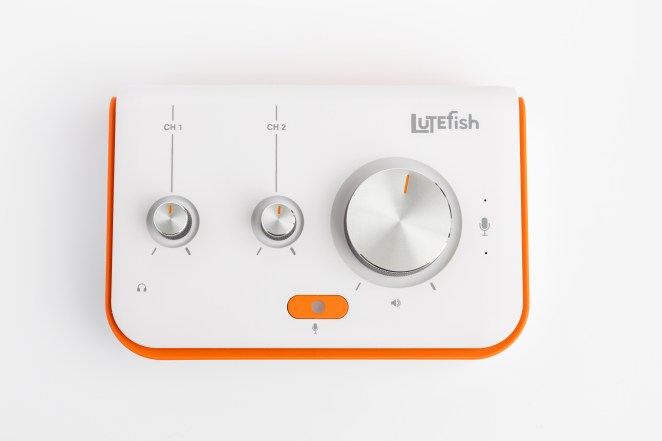
Designed by musicians, for musicians, the Lutefish Stream is essentially a piece of hardware that lets you play together in real-time over the internet. Whether you want to rehearse, write, teach, or even meet new musicians on the platform, Lutefish brings it all together.
- Latency: Real-time, as low as 20 to 30ms, enabling you to jam in sync with musicians up to 500 miles away as if you're in the same room. Lutefish posts 30-35ms, but this depends on the internet type and location.
- Sampling Rate: 48kHz uncompressed audio through dual XLR/¼" combo inputs
- Pre-amps: Class-A preamps delivering clear, professional-grade sound
- Functionality: Plug and play simplicity; no extra audio interface needed, no fuss.
- Web application: Built-In recording and collaboration tools
Putting the Lutefish Stream to the Test
Getting Started
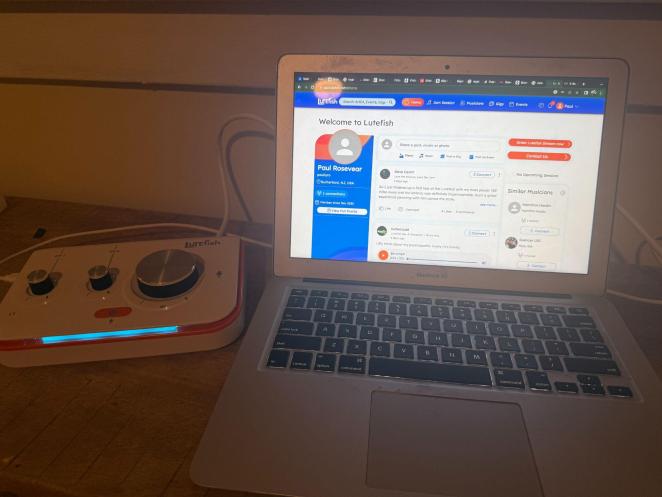
Signing up was quick. You create a profile, pick your instruments, set your skill level per instrument, and then select your genres. There’s a toggle switch to indicate whether or not you’re open to collaboration. Then you hit a welcome screen where you can see a feed featuring other users and tracks they’ve created. It feels like a social media site—a great way to check out, listen to, and connect with potential collaborators.
Setting Up a Jam
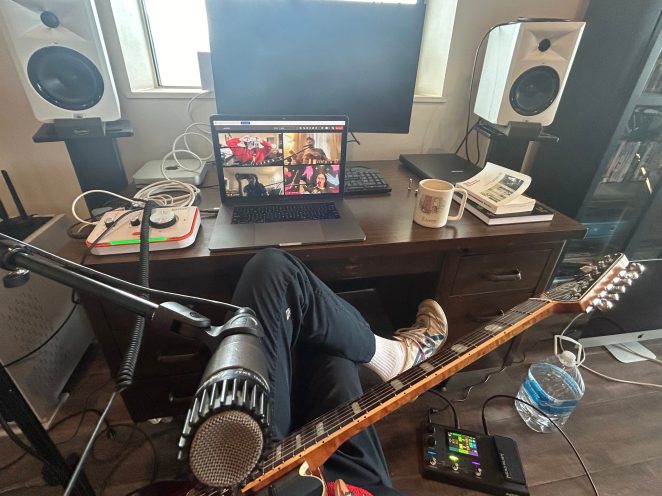
Once your device is running and your account is set up, you can easily start a jam session with anyone you’ve connected with on Lutefish... Simply pick a date and time on the calendar, invite up to 4 different collaborators, and you’re off to the races.
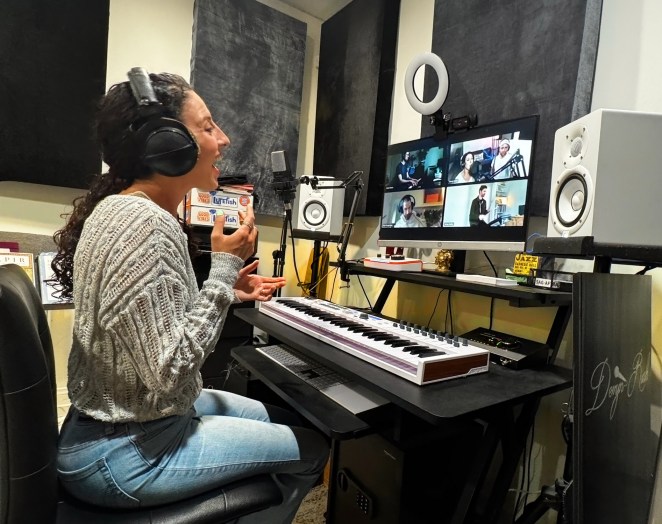
To test this product, I set up a jam with Patrick from the Lutefish team, and it was a breeze. We logged on, and within minutes, we were playing and singing “Let it Be” by The Beatles as though we were sitting right next to one another. He was on acoustic and vocals, I was on electric and vocals, and we were making music together effortlessly. The timing held together, no weird delays, no fighting the beat, and the sound was crystal clear. Most importantly, the vibe was on point!
Dialing in the Perfect Sound
It’s really easy to dial in the right sound and mix with Lutefish. First of all, you can control the input gain for each of the two channels right on the box itself. Just like any other audio interface, you simply sweep up and down until the tone is just right.
Then you can actually balance all the instruments within the online interface, turning your instruments up or down, and also adjusting the volume of your collaborators as well. They have the same controls, so everybody ends up with an optimal headphone mix.
Collaborating Is Easy and Fun
Lutefish Stream blends high-quality, real-time audio with a fresh and engaging digital experience. The video is crisp and clear, and you can even send messages to your fellow musicians while you’re playing, or add reactions just like on other social platforms (for that sick solo or killer high note). You can also record and store your sessions directly on the web interface, and even share them with the Lutefish community.
Lutefish Stream: Final Thoughts
The Lutefish Stream is not rocket science, and that’s the point. They’ve focused on solving the latency problem and done a phenomenal job with the very best in real-time audio processing. It’s dead simple to use, sounds great, looks cool, and connects you to a built-in community that’s growing by the day. I know I’ve personally struggled with latency during lessons and jams, but now that’s over. Long live Lutefish!